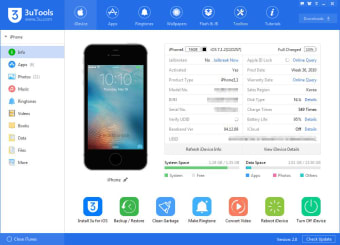
All-in-one iOS management tool
3uTools for Mac is a comprehensive, all-in-one utility built to manage, back up, and customize iOS devices with ease. It enables seamless control over app installations, photo and video transfers, ringtone creation, and file management within an intuitive interface. Supporting flashing, jailbreaking, and data synchronization, it offers flexibility beyond Apple’s built-in tools while maintaining accessibility, safety, and user-friendly design.
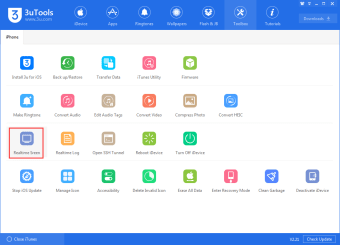
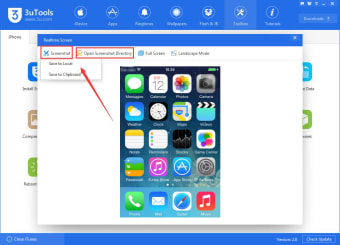
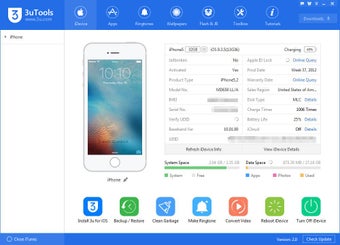
Beyond file management, 3uTools for Mac provides real-time device monitoring, cleanup, icon arrangement, and performance diagnostics. Its unified dashboard simplifies organizing photos, updating firmware, and creating ringtones, offering convenience and control for both casual and advanced users seeking to optimize iOS performance.
Streamlined file and app management
3uTools for Mac simplifies how users interact with their iOS devices. It supports fast file transfers between Mac and iPhone, including music, videos, documents, and app data. The drag-and-drop interface minimizes setup time, while batch operations streamline large media libraries. Built-in backup and restore tools safeguard data, offering reliable protection before updates or full device resets, ensuring smooth management throughout.
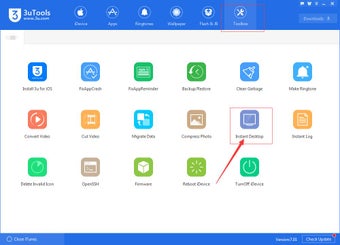
Users can easily personalize their devices with custom ringtones, wallpapers, and icon layouts directly through the app. The built-in toolbox provides firmware flashing and device cleanup options to enhance performance. Advanced users also gain access to detailed diagnostics, battery health tracking, and efficient storage management, all presented within a clean, intuitive interface that balances accessibility with technical depth and reliability.
While versatile, the software presents a learning curve for newcomers unfamiliar with firmware management or advanced utilities. Some features, such as flashing or jailbreaking, require caution to prevent data loss or system instability. Additionally, a few operations may necessitate temporarily disabling Apple security settings, which can be inconvenient for users who prioritize strict protection and worry-free device safety during maintenance tasks.
Reliable iOS companion for Mac
3uTools for Mac remains one of the most capable and reliable utilities available for managing Apple devices outside of iTunes or Finder. It offers freedom, flexibility, and transparency, making it a practical choice for those seeking control over their iOS ecosystem. Though advanced features demand care, its balance of power and simplicity ensures lasting value for everyday management and customization.